The limitation of the software in the AppStore usually make us annoying. Not only the price, but also the availability of necessary softwares. Some people like to pay, but if you want to more stuffs without limitation in AppStore, you can try Jailbreak your gadgets. Actually jailbreak is easy as simple as you copy files among devices. The supported devices are :
OK, the steps are :
1. Download Redsn0w [MAC/WINDOWS]
2. Connect your device to your PC/notebook (can be windows or macintosh).
3. Run Redsn0w, after the window is shown, click "jailbreak", then click "Cydia".
4. Wait, and your device will reboot automatically. After reboot, you shouldn't find anything change, except Cydia icon on your home screen.
Happy Jailbreaking
Friday, August 17, 2012
0 AMD APUs : Run office applications fast!
Somedays ago i saw an article in AMD's blog. That article was written by Phil Hughes. He said that AMD APUs can deliver more performance for office applications such as web browser, microsoft office, winZIP, winRAR. He also say that AMD Radeon HD inside the APU itself can help or increase the performance of the applications. But, many users didn't realize that the graphics performance can help them speed-up productivity of the office. As he said in his article :
"The advent of accelerated applications that take advantage of the parallel compute capabilities within the APU's graphics processing unit (GPU) can help increase your productivity."
Some examples (general used applications) of productivity improvement are :
1. MS PowerPoint with GPU acceleration turned on can improve productivity up to 250%
2. WinZip with AMD App Acceleration, 2nd generation A-series based notebooks can accelerate compression of files up to 135% using winZip 16.5
3. All major web browsers (IE, firefox, google chrome) can render and perform faster with GPU acceleration
One the most interesting thing that i get from that article is AMD Eyefinity. 2nd generation AMD A series APU is supporting AMD Eyefinity, which only available in discrete graphic cards before. AMD A-series APU also allow you to make single surface across multiple monitors if you need a screen for your presentation.
Wednesday, April 27, 2011
0 Compression Utility
Each computer needs compression software to open certain file types as .zip, .rar, .tar, .7z, and many more. Why compression are important? Because it can reduce file size, and can merge many files become one file (compressed file).
That reason make you need a compression tool. Many compression tools that available to choose. Now, let's discuss them.
 1. 7-Zip
This utility is free, open-source, 7-zip has best compression performance than other applications. It fast, high compression ratio and only consume a little of memory. But, 7-zip has less interesting view. We recommend 7-zip because it very quick, safe, and free.
 2. Win RAR
Who don't know Win RAR, famous compressing tools. This tool also has good compression performance, about 110%, but worse than 7-zip that has compression ratio 100% (less mean better). Win RAR is shareware, so, you need pay to use Win RAR. This tool has better view than 7-zip.
 3. Win Zip
Win Zip also a good utility in file compression, file sharing, and file encryption. Win Zip has good performance, and very light as well as Win Rar, about 114% compression ratio. Win Zip is shareware, but, you're allowed to get it's trial version.
Ah, there are other compression tools, they also good, and worth to try.
1. Pea Zip Good alternative.
2. AlZip if you need speed and minimum resource needed.
3. IZArc Good freeware WinRAR or Win Zip alternative.
That reason make you need a compression tool. Many compression tools that available to choose. Now, let's discuss them.

This utility is free, open-source, 7-zip has best compression performance than other applications. It fast, high compression ratio and only consume a little of memory. But, 7-zip has less interesting view. We recommend 7-zip because it very quick, safe, and free.

Who don't know Win RAR, famous compressing tools. This tool also has good compression performance, about 110%, but worse than 7-zip that has compression ratio 100% (less mean better). Win RAR is shareware, so, you need pay to use Win RAR. This tool has better view than 7-zip.
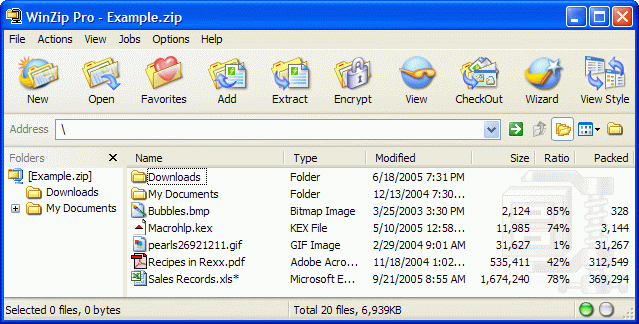
Win Zip also a good utility in file compression, file sharing, and file encryption. Win Zip has good performance, and very light as well as Win Rar, about 114% compression ratio. Win Zip is shareware, but, you're allowed to get it's trial version.
Ah, there are other compression tools, they also good, and worth to try.
1. Pea Zip Good alternative.
2. AlZip if you need speed and minimum resource needed.
3. IZArc Good freeware WinRAR or Win Zip alternative.
Tuesday, April 19, 2011
0 GPU Overclock Guide
You have a GPU, but, it works slow?
Now, i will show you how to boost your GPU performance
This way works with improve increase your GPU clocks directly.
These are the steps :
1. Download RivaTuner 2.24c from Guru3D.
2. Install RivaTuner 2.24c and if you are asked for install update, select install update.
3. Run RivaTuner (If show unsupported drivers, ignore it).
4. Wait RivaTuner to scan your hardware, registies for Forceware, Catalyst
5. If your GPU(s) are nVidia will be shown Forceware detected, and if your GPU(s) are AMD will be shown Catalyst detected.
Note: Don't Overclock your Integrated GPU, only for dedicated GPU
6. Click Triangle next to "Forceware/Catalyst detected"
7. RivaTuner will show new window. Give check "Enable hardware level overclocking"
8. Now, select Performance 3D and slide the slider below "GPU clock", "Memory clock", and "Shader clock"(if supported) until you find desired clocks.
9. If you have found desired clocks, now, click Save under Startup settings and check "Apply Overclocking at Startup".
10. Apply and OK.
I try above steps using GPU nVidia GeForce 9600GT
And I have done benchmark for it (3Dmark 2003) 1024x768 noAA.
1. Before overclocking (450 Mhz, 500 Mhz, 1000 Mhz) the result is 15990
2. After overclocking ( 600 Mhz, 625 Mhz, and 1250 Mhz) the result is 16450
It also increase Frame Rate while i play Crysis : Warhead at mainstream settings, about 2.5 - 3.25 fps.
Note : Only slide the slider between blue indicator (save overclocking, no other cooler needed)
Tuesday, February 15, 2011
0 Speed Up Intensive Applications with RAM Drive
Speed Up Intensive Applications
If your computer has some RAM to spare, RAM drive is perfect to increasing the performance of any applications that must read and write any data. Using a special kernel mode driver along with system memory, a temporary can be created that significantly faster than traditional storage. Spindle based harddisk found in almost every computers have a maximum read and write speed of around 100 MB per second. The performance of RAM drives are only limited by speed of memory and chipsets. That result in read and write speeds well above 1 GB per second and on high end system much faster.
There are a lot of different ways to create RAM drive. The method that i'll show to you will use a free application (utility) called RAMDisk that will allow you to create drive up to 4092 MB (assuming you have more than 4096 MB RAM in your computer)
1. First, download dataram RAMDisk
2. Then, click start button, and launch RAMDisk Configuration Utility

3. On the Settings tab specify the Disk size and Type.

4. Then, click start RAMDisk and your drives will be ready for used in windows explorer listed to the next of the other storage drives on your computer.
The main problem with RAMDisk is the non-persistent nature of the disk. Turn off your computer and the contents of RAMDisk will be gone forever. Dataram RAMDisk has a helpful feature that will allow you to save the state of your RAM drive upon shutting down and loading image of it, from a file from your harddisk, on startup to restore any data. You can find these settings on the load and save tab of the RAMDisk Configuration Utility.

If your computer has some RAM to spare, RAM drive is perfect to increasing the performance of any applications that must read and write any data. Using a special kernel mode driver along with system memory, a temporary can be created that significantly faster than traditional storage. Spindle based harddisk found in almost every computers have a maximum read and write speed of around 100 MB per second. The performance of RAM drives are only limited by speed of memory and chipsets. That result in read and write speeds well above 1 GB per second and on high end system much faster.
There are a lot of different ways to create RAM drive. The method that i'll show to you will use a free application (utility) called RAMDisk that will allow you to create drive up to 4092 MB (assuming you have more than 4096 MB RAM in your computer)
1. First, download dataram RAMDisk
2. Then, click start button, and launch RAMDisk Configuration Utility

3. On the Settings tab specify the Disk size and Type.

4. Then, click start RAMDisk and your drives will be ready for used in windows explorer listed to the next of the other storage drives on your computer.
The main problem with RAMDisk is the non-persistent nature of the disk. Turn off your computer and the contents of RAMDisk will be gone forever. Dataram RAMDisk has a helpful feature that will allow you to save the state of your RAM drive upon shutting down and loading image of it, from a file from your harddisk, on startup to restore any data. You can find these settings on the load and save tab of the RAMDisk Configuration Utility.

Now, that you have a RAM drive setup and try running moving the internet explorer temporary internet files to speed up internet browsing or redirect any other disk intensive applications to use RAM drives.
Subscribe to:
Posts (Atom)


